![Sportal365 logo-4.png]](https://knowledge-base.sportal365.com/hs-fs/hubfs/Sportal365%20logo-4.png?height=40&name=Sportal365%20logo-4.png)
The Basketball Standings Widget provides information about the standing of basketball teams in a specific tournament, season, and stage.
Competition
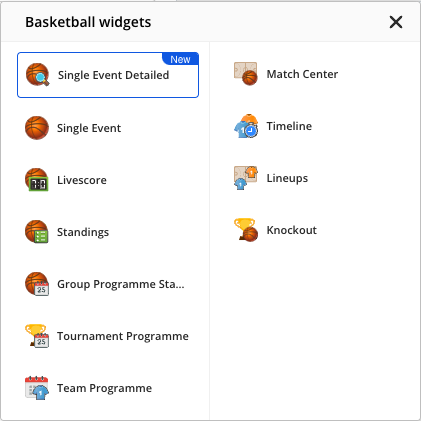
To add the widget, select the Basketball icon in the row of buttons below the blocks in the article body, then choose Standings from the Basketball widgets list (shown below). In the Competition field of the widget, you can select the tournament you want to show team standings for.
Note: Some competitions/tournaments have more stages and you will be able to show standings for a stage that has available information.
Seasons
From the Season drop-down menu, you can select the season you want to include standings for. It’s worth noting that every season has a default stage.
Stages
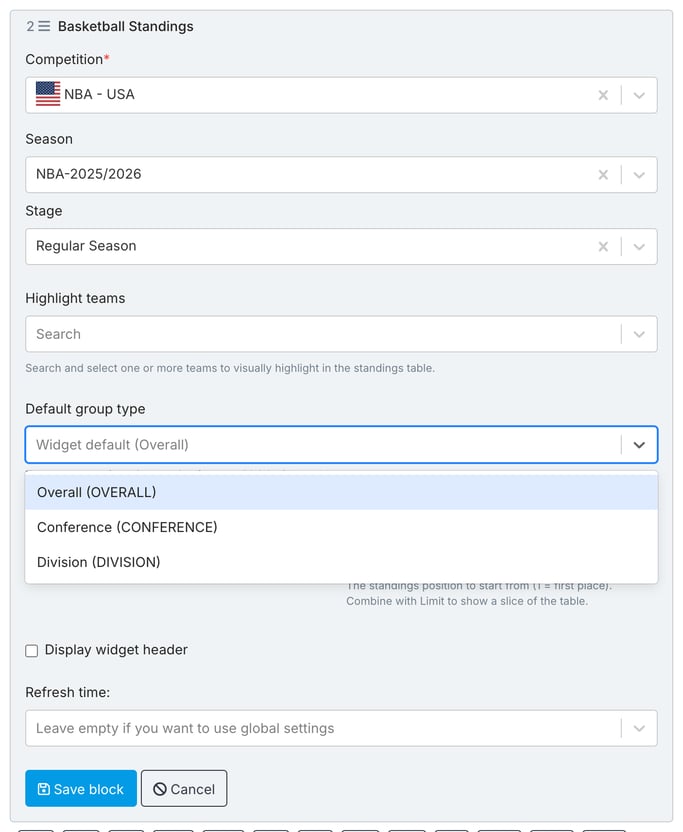
Most basketball tournaments have similar stages – pre-season, regular season, playoffs, and finals --, but sometimes the tournament format may vary as is the case with Olympic competitions. Select the stage you want in the Stage field.
Below the stage, you can also use Highlight teams to highlight one or more teams in the table, and Limit together with Start from position (1 = first place) to show only a slice of the table.
Use Default group type to choose the group type the table opens on. The dropdown lists the group types of the selected stage, each shown as a name followed by its code. For the NBA Regular Season in the screenshot above these are Overall (OVERALL), Conference (CONFERENCE) and Division (DIVISION). The field is disabled until you select a stage; leave it empty to use the widget default (Overall). It does not depend on Display widget header.
If you change the stage later, your choice is kept and checked against the new stage. When the new stage does not offer it, a message says so: choose another group type or clear the field before you save. A block saved earlier keeps the group type it already had.
Note: If a required field such as Competition is empty when you select Save block, a red message appears in the form and the block is not saved. A new block opens without error messages; they appear only after you select Save block.
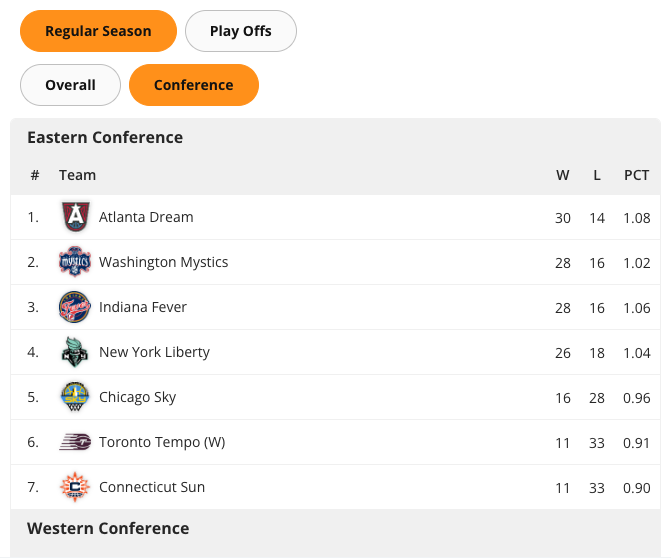
The picture below shows how the Standings widget for the WNBA tournament might appear inside an article on your website: