![Sportal365 logo-4.png]](https://knowledge-base.sportal365.com/hs-fs/hubfs/Sportal365%20logo-4.png?height=40&name=Sportal365%20logo-4.png)
Adding Basketball Team Programme to a post
To set up the widget:
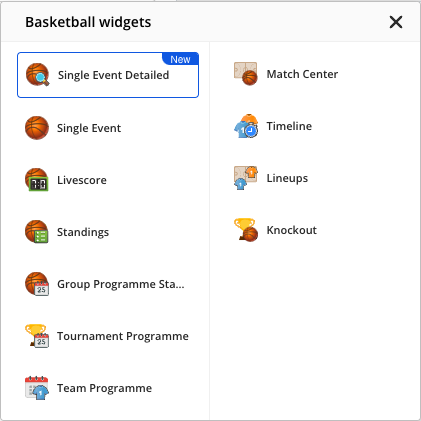
- In the row of buttons below the blocks in the article body, select the Basketball icon, then choose Team Programme from the Basketball widgets list.
2. Select the team, season, stage, round, match type, and sort directions in the corresponding fields. Match type and the odds options appear once you select a team.
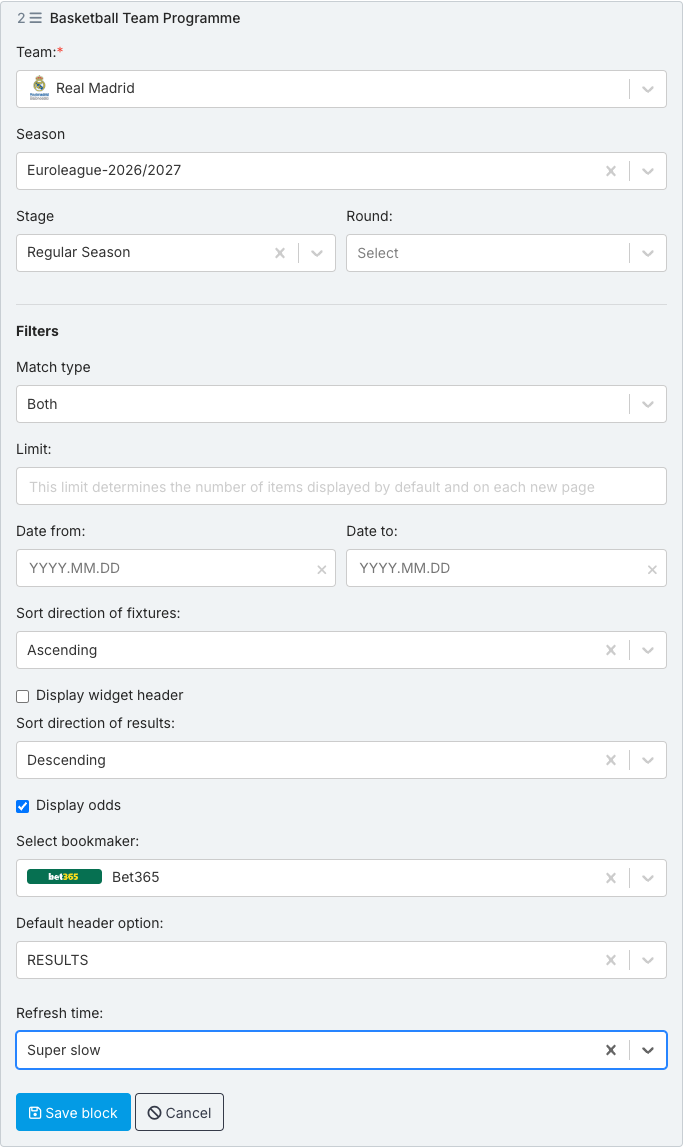
3. Display odds is checked by default. Choose the bookmaker in Select bookmaker, or clear Display odds if you do not want to show odds.
4. To change the refresh time of the data inside the widget, use the Refresh time field.
5. When done, select Save block. To see the widget, hover the saved block and select Preview.
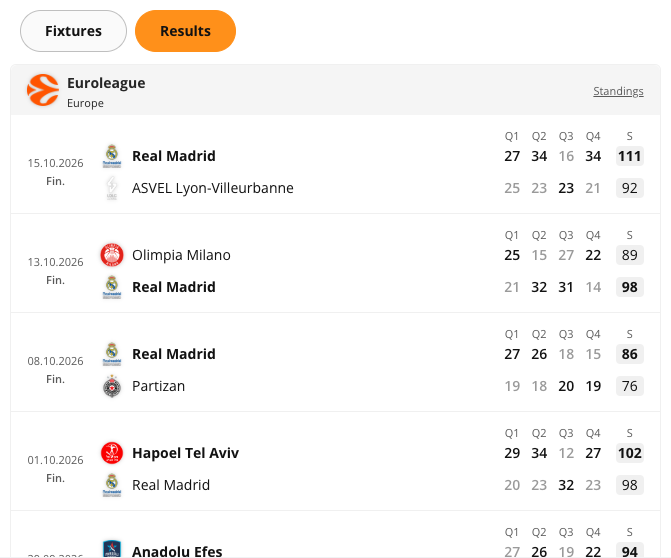
Basketball Team Programme Widget
Next: VIDEO: How to Use the Basketball Team Programme Widget