![Sportal365 logo-4.png]](https://knowledge-base.sportal365.com/hs-fs/hubfs/Sportal365%20logo-4.png?height=40&name=Sportal365%20logo-4.png)
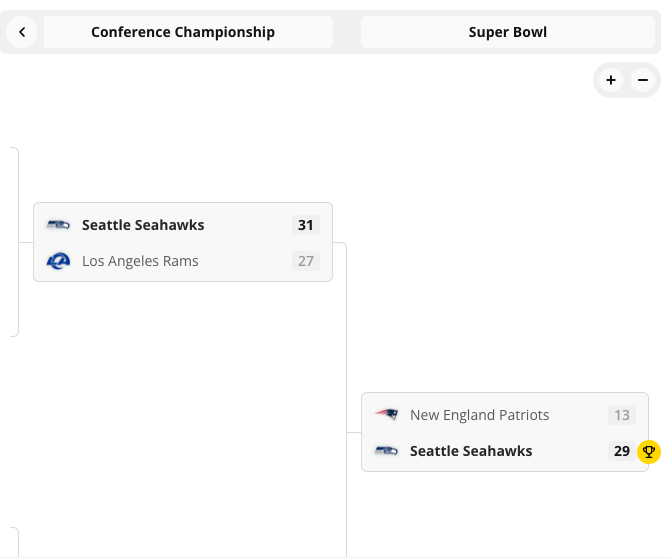
The Knockout widget shows the playoff rounds of an American Football competition stage as a bracket, so readers can follow how ties progress.
The fastest way to add an American Football widget: select the American Football icon in the quick-add row below the article body — no need to open the full block picker and search a category list.
Preconditions
- Your project must have the American Football feature enabled. Widget categories are switched on per project, so if American Football widgets does not appear in the block picker, ask your administrator to enable it.
- You need permission to create or edit articles.
- The stage you choose must be a knockout stage. Regular-season group stages have no bracket to draw.
Adding the American Football Knockout Widget to a post
To set up the widget:
- Open an article for editing, or create a new one.
- Below the blocks in the article body is a row of quick-add buttons: the content blocks first, then one icon for each sport enabled on your project, then +. Hover an icon to see its name — the American Football icon is hovered here.

- Select the American Football icon, then choose Knockout from the widget list that opens.
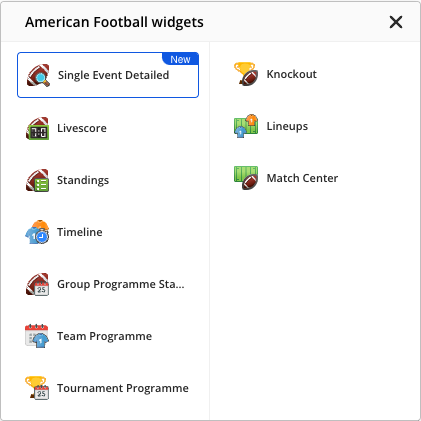
- Set the widget options. Competition, Season and Stage control what it shows.
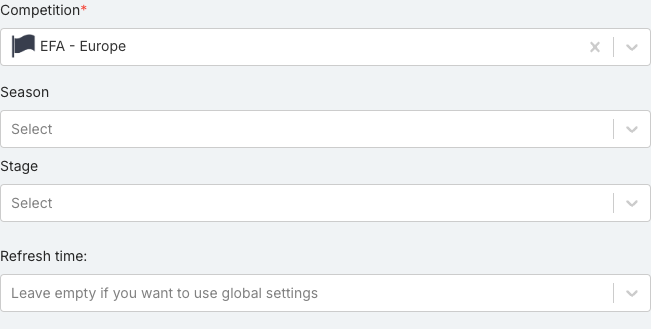
- Check the options are the ones you want. Some fields depend on others, so a list can be empty until you set the field above it.
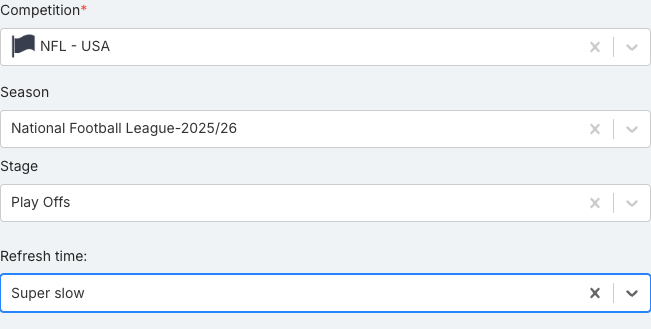
- When done, select Save block.
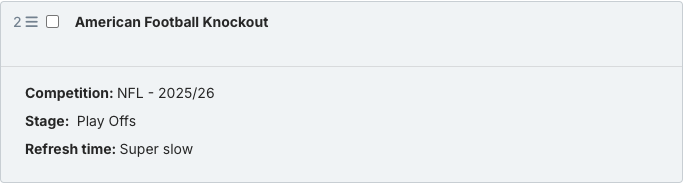
- Hover the saved block. Of the controls that appear (Copy embed code, Preview, Edit and Remove), select Preview to see the real widget.
American Football Knockout Widget options
- Competition (required) — The competition whose data you want to show. The panel opens with one already selected; replace it with the one you want.
- Season — The season within the chosen competition. Options depend on which competition you selected above.
- Stage — Limits the widget to a single stage of the competition, such as a group phase or a knockout round.
- Refresh time — Controls how often the published widget refetches its data. Leave empty to use your project’s global refresh setting.
What the American Football Knockout Widget shows
Each tie in the bracket shows:
- Teams — the two sides: the teams contesting the tie
- S — score: the match score deciding who advances
Preview of the American Football Knockout Widget
The widget draws the bracket for the stage you selected, round by round.
If no games are recorded for the stage you chose, the widget shows “No games for the selected playoff” instead of a bracket.
Good to know
Only the preview shows the real widget. The collapsed block and the options panel show a CMS summary card instead — always check preview before publishing.
- The preview area is narrower than a published page, so the widget uses its compact layout there and may hide columns that the published version shows.
- The widget always renders whichever version of the sports widgets library your project is on. There is no version to set.