![Sportal365 logo-4.png]](https://knowledge-base.sportal365.com/hs-fs/hubfs/Sportal365%20logo-4.png?height=40&name=Sportal365%20logo-4.png)
Sportal365 is a multi-author platform where authors can collaborate, upload files, write, edit, publish, and delete their content.
Authors and organizing content
In addition to creating content, Authors is a feature that allows organizing and categorizing content by a specific author. This means that you can display all posts written by a certain author on your website — for example, show all posts by “tipsters,” authors who write content with betting tips.
Authors and creating content
Each post you create with Sportal365 can have authors and custom authors.
To enter an Author (main author) for your post, you first need to create it in the system, then select the author from the drop-down menu in the “General” tab of “Content optimization properties.” You can also assign more than one main author to your content.
In contrast, think of custom authors as visiting authors. A custom author is an author you don’t create in the system, but instead type directly into the designated Custom Author field.
Note that it’s not mandatory to have entered an Author or Custom author in order to create a post. Depending on your setup, a default author will be assigned.
To replace the authors of several articles at once, select two or more articles in All Articles (new), select Bulk editing, tick Editorial authors, choose the new authors, then select Review changes and Start operation. The articles’ Created by value stays unchanged. See How to bulk edit articles.
Author Details
Several options allow you to create a detailed author profile in the system. You can enter a name, short author biography, upload a picture, and select the author’s status (active, default).
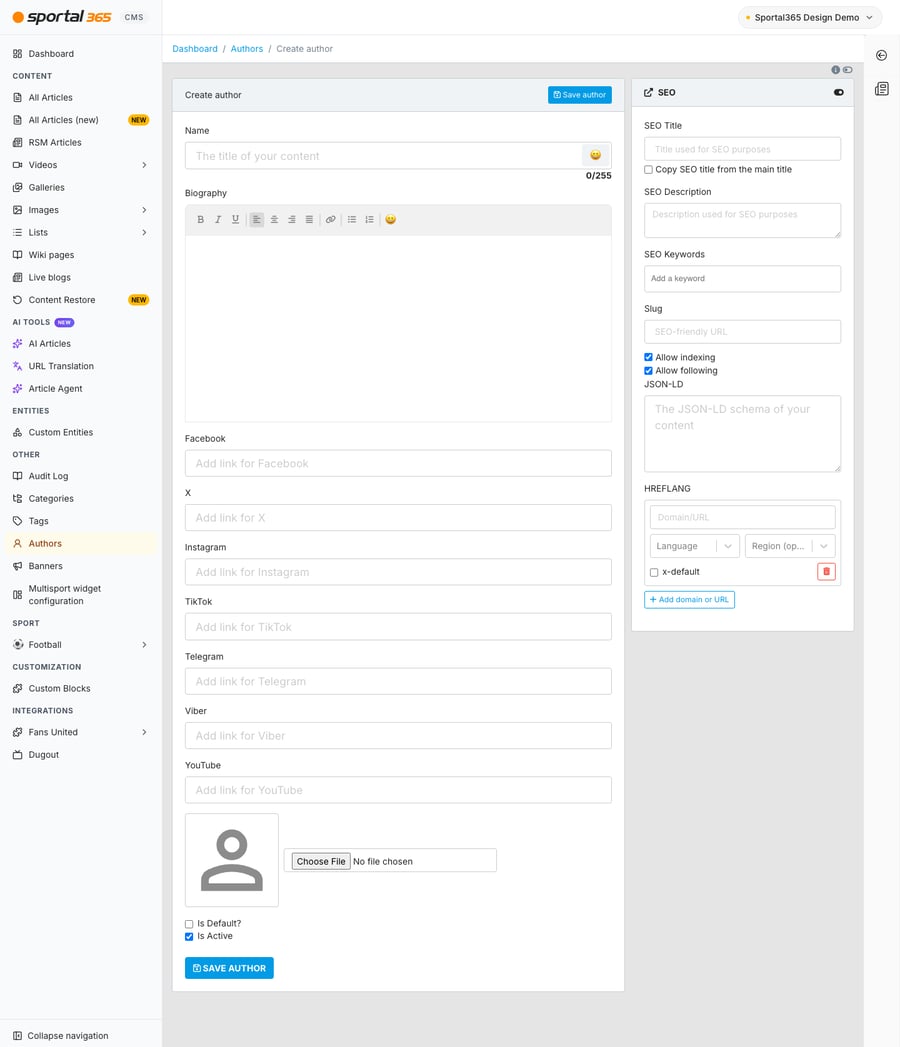
To learn more about creating an author, see "How to create an Author".