![Sportal365 logo-4.png]](https://knowledge-base.sportal365.com/hs-fs/hubfs/Sportal365%20logo-4.png?height=40&name=Sportal365%20logo-4.png)
The Football Match Center Widget lets creators display information about a specific event in their articles, videos, and galleries.
Adding the Football Match Center Widget
To add a Football Match Center Widget to the body of your post:
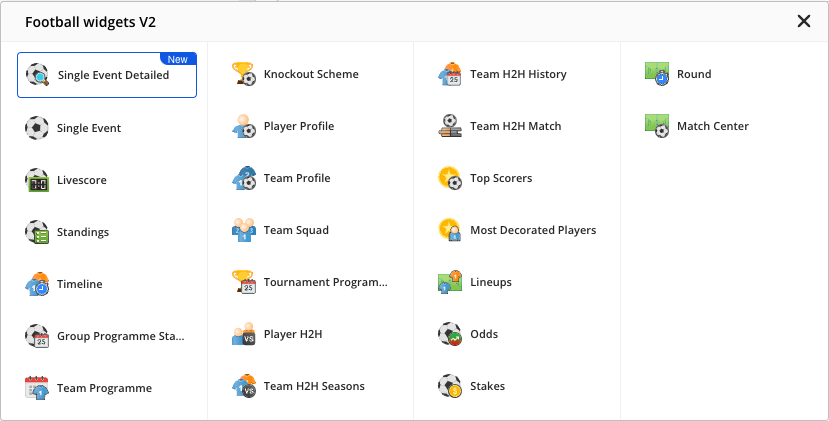
- In the quick-add row below the blocks in the article body, select the Football icon, then choose Match Center from the Football widgets V2 list that opens.
2. Configure the widget by selecting a Team and the event you wish to display: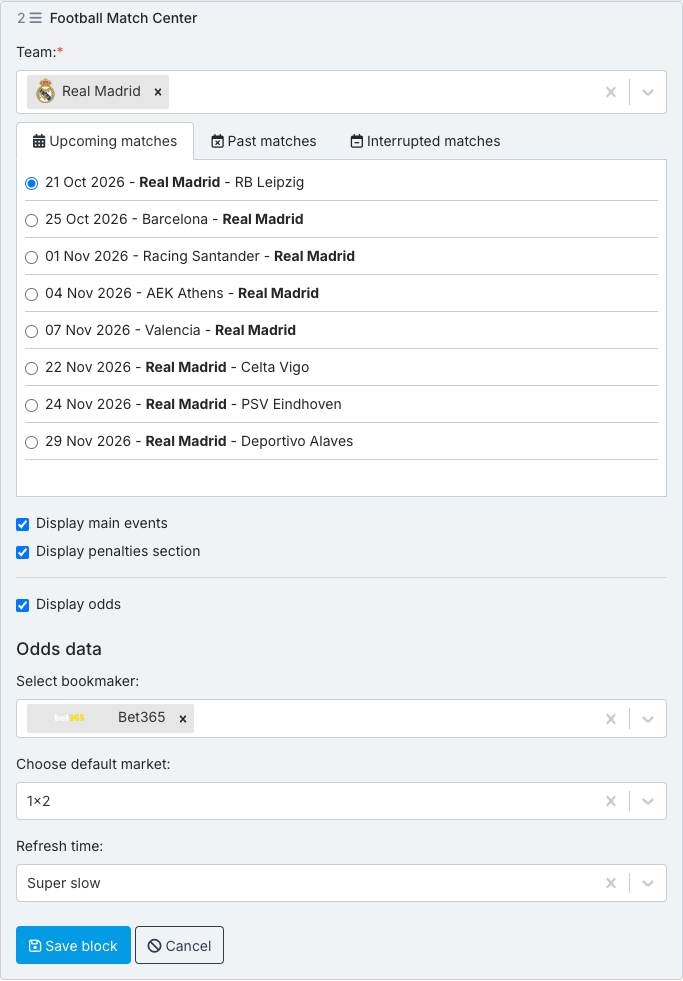
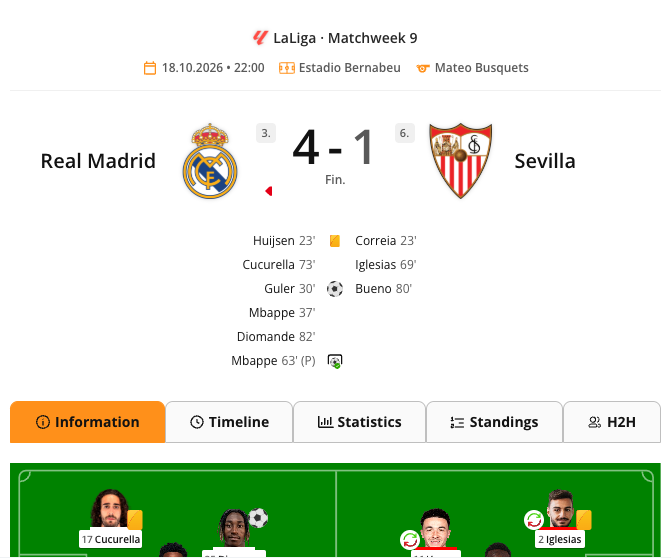
3. Uncheck the Display main events if you want to hide the main events of the match. This will be checked by default.
4. Display odds is checked by default. Select a bookmaker in the Select bookmaker field. Choose default market then fills in with 1x2, the market the widget shows first; change it if you need another one. Readers can still switch between markets using the market buttons in the widget. Clear the Display odds box if you do not want to show odds.
5. To change the refresh time of the data inside the widget, use the Refresh time field.
6. When done, select Save block.
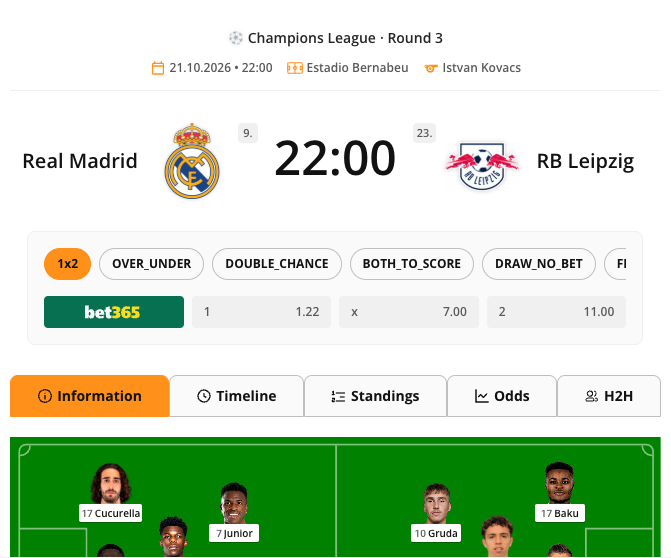
Preview of the Football Match Center Widget - Upcoming game
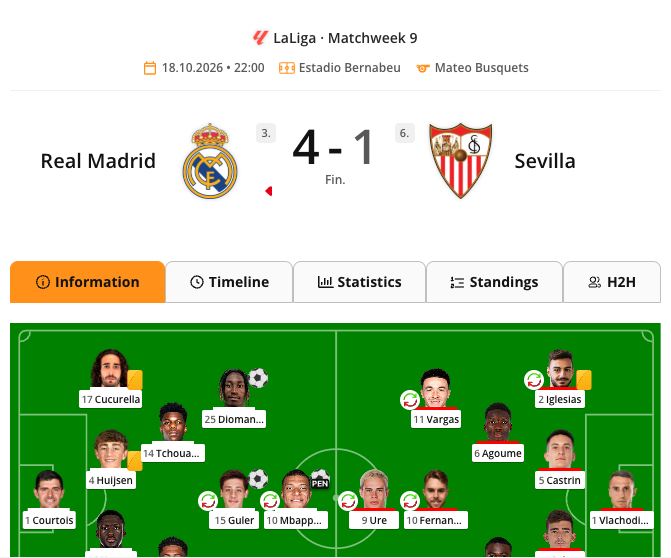
Preview of the Football Match Center Widget - Past game with Display main events checked
Preview of the Football Match Center Widget - Past game with Display main events unchecked