![Sportal365 logo-4.png]](https://knowledge-base.sportal365.com/hs-fs/hubfs/Sportal365%20logo-4.png?height=40&name=Sportal365%20logo-4.png)
The
Football
Player
Widget
provides
basic
and
advanced
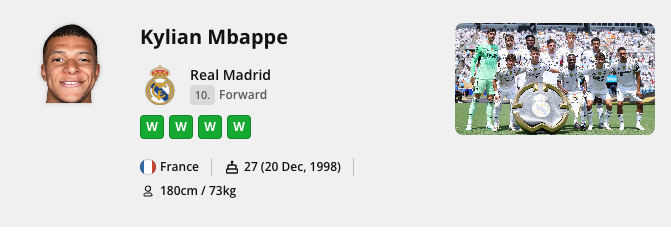
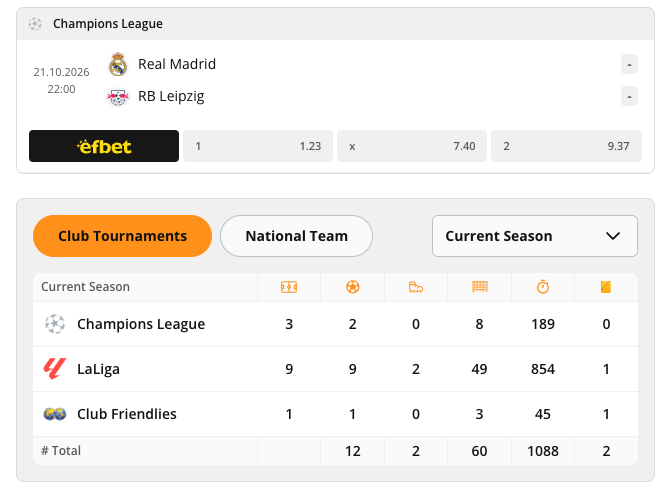
statistics about a player. When creators add the widget to their content, it allows them to create a player dossier, so to speak, displaying information such as:
- Personal player info (e.g. Height, Weight, Age, and so on)
- Player stats for a season, broken down by competition (e.g. Champions League)
- Granular control over displayed information (e.g. Goals, Shots, Assists, Red Cards, and so on)
Adding a Football Player Widget to a post
To set up the widget:
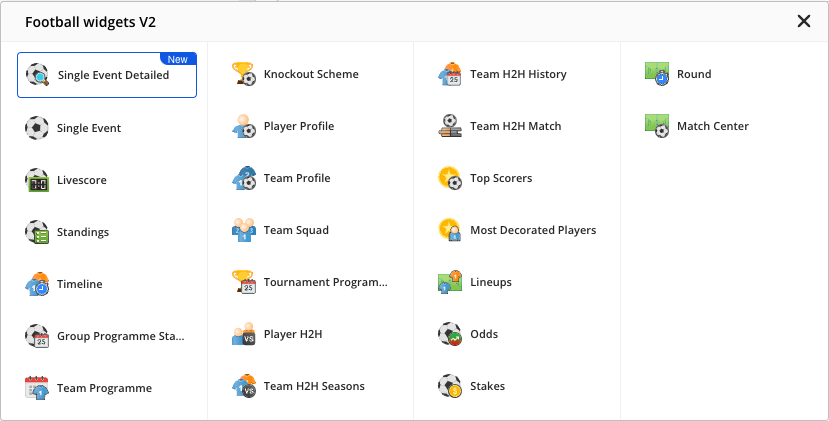
- In the quick-add row below the blocks in the article body, select the Football icon, then choose Player Profile from the Football widgets V2 list that opens.
2. Enter a player’s name in the Player field.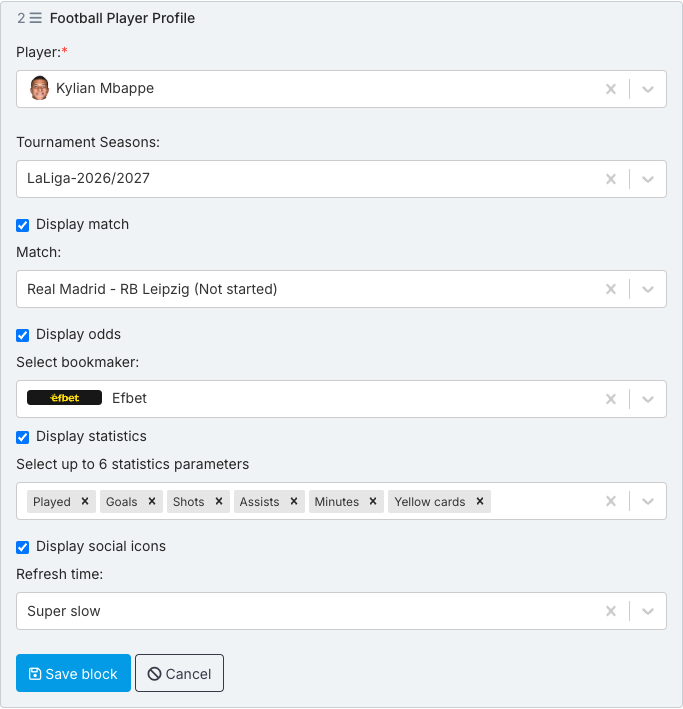
3. Selecting a player fills in the Tournament Seasons and Match fields (Match sits under the Display match box). Change them if needed.
4. If you select an upcoming match, odds for it are shown by default (Display odds is checked): choose a bookmaker in the Select bookmaker field, or clear Display odds to hide them.
5. With the Display statistics box checked, select the statistics you wish to display in the Select up to 6 statistics parameters field.
Default parameters are: Played, Goals, Shots, Assists, Minutes, Yellow cards
6. To change the refresh time of the data inside the widget, use the Refresh time field.
7. When done, select Save block.
Preview of the Football Player Widget