Skip to content
  • There are no suggestions because the search field is empty.

Football Team H2H Widget

The Team H2H widget allows you to showcase the statistics of two different teams either for a particular season or based on a specific match within articles, videos, galleries, or a dedicated page for the teams or the match.

Adding Football H2H with Season Statistics to a post 

To set up the widget:

  1. In the quick-add row below the blocks in the article body, select the Football icon, then choose Team H2H Seasons from the Football widgets V2 list that opens.
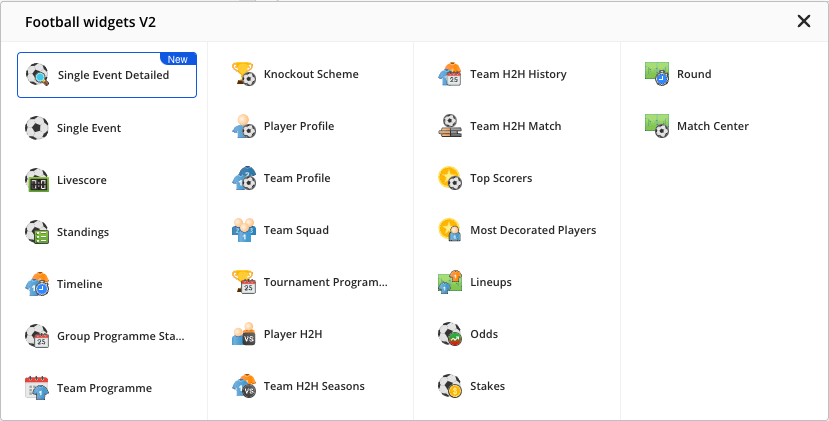
Football widgets V2 dropdown with 23 football widget tiles in four columns, from Single Event Detailed (marked New), Single Event, Livescore and Standings to Round and Match Center

2. Select both teams and the tournament season you wish to display, then choose whether to show the widget header and which statistics to display.
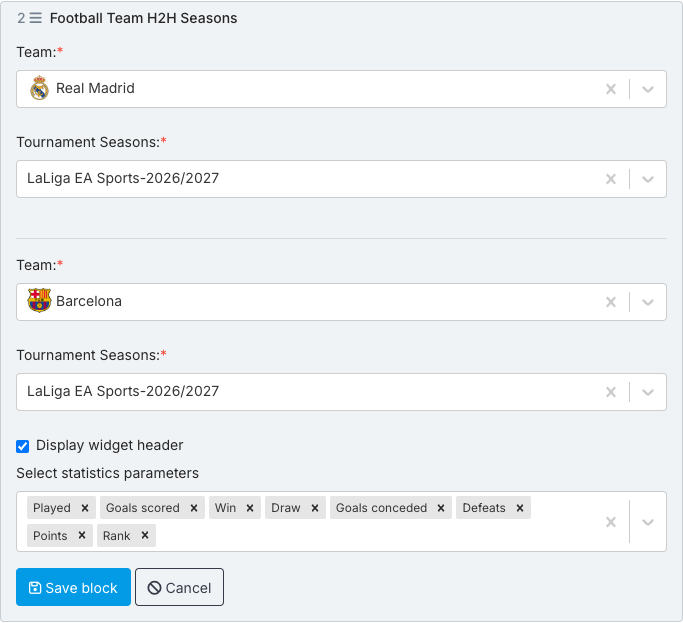
Football Team H2H Seasons block form: Team Real Madrid with Tournament Seasons LaLiga EA Sports-2026/2027, Team Barcelona with Tournament Seasons LaLiga EA Sports-2026/2027, Display widget header checked, Select statistics parameters Played, Goals scored, Win, Draw, Goals conceded, Defeats, Points, Rank, Save block / Cancel.

3. When done, select Save block.

Preview of the Team H2H widget with Season Statistics 
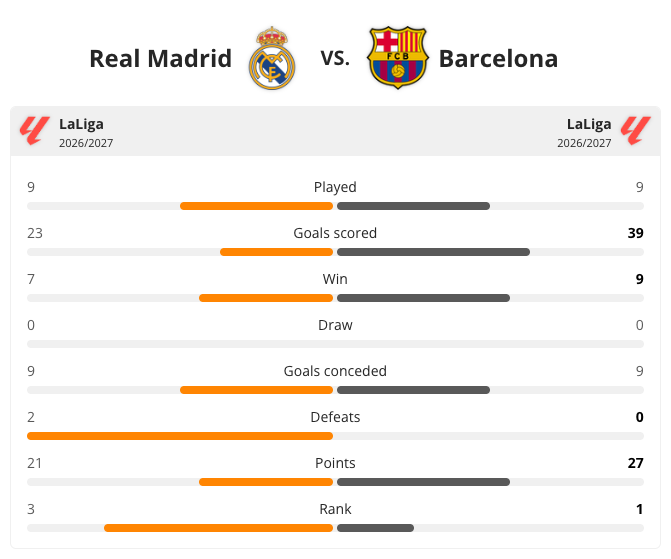
Rendered Team H2H Seasons widget: Real Madrid vs. Barcelona with crests, LaLiga 2026/2027 on both sides, comparison bars Played 9-9, Goals scored 23-39, Win 7-9, Draw 0-0, Goals conceded 9-9, Defeats 2-0, Points 21-27, Rank 3-1.


Adding Football H2H with Match History to a post 

To set up the widget:

  1. In the quick-add row below the blocks in the article body, select the Football icon, then choose Team H2H History from the Football widgets V2 list that opens.

Football widgets V2 dropdown with 23 football widget tiles in four columns, from Single Event Detailed (marked New), Single Event, Livescore and Standings to Round and Match Center

2. Select both teams to compare and choose how many past results to show with the Limit field. Display widget options (checked by default) shows the H2H and team tabs above the results; clear it to show only the list of matches. Use Default header option to choose which tab opens first (H2H, FIRST_TEAM or SECOND_TEAM), and the Refresh time field to change how often the data updates.
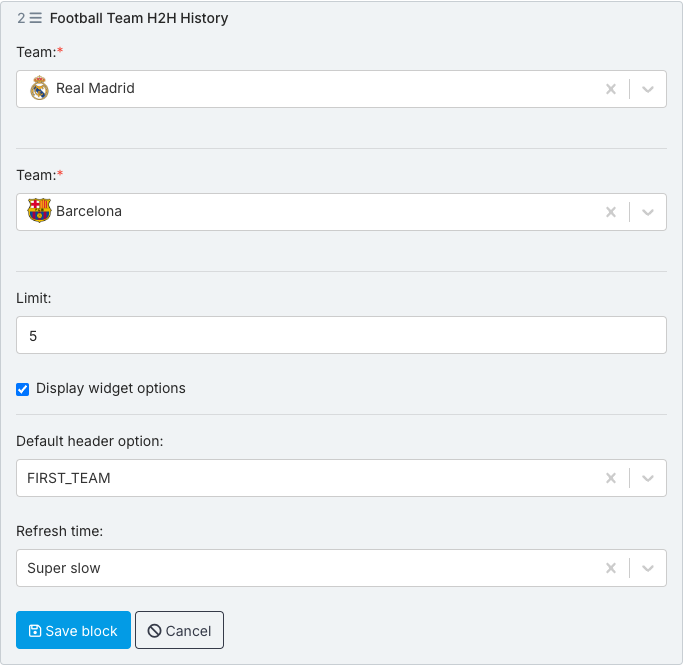
Football Team H2H History block form: Team Real Madrid, Team Barcelona, Limit 5, Display widget options checked, Default header option FIRST_TEAM, Refresh time Super slow, Save block / Cancel.

3. When done, select Save block.

Preview of the Team H2H widget with Match History

When Display widget options is checked, readers can switch between an overall head-to-head view and each team's individual recent results using the tabs above the widget.
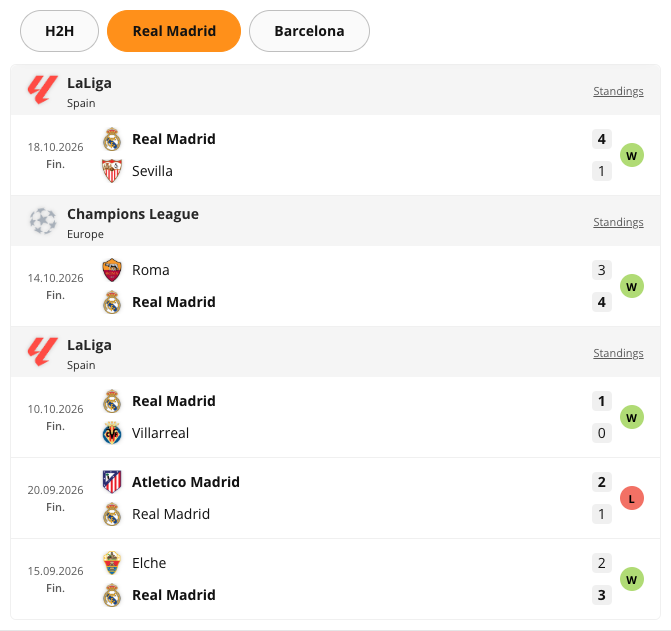
Rendered Team H2H History widget: H2H / Real Madrid / Barcelona tabs with Real Madrid active, and Real Madrid's latest five results with W/L badges: LaLiga 18.10.2026 Real Madrid 4-1 Sevilla, Champions League 14.10.2026 Roma 3-4 Real Madrid, LaLiga 10.10.2026 Real Madrid 1-0 Villarreal, 20.09.2026 Atletico Madrid 2-1 Real Madrid, 15.09.2026 Elche 2-3 Real Madrid.

With Display widget options cleared, the tabs are hidden and the widget shows only the list of matches, grouped by competition (here for Arsenal and Liverpool):
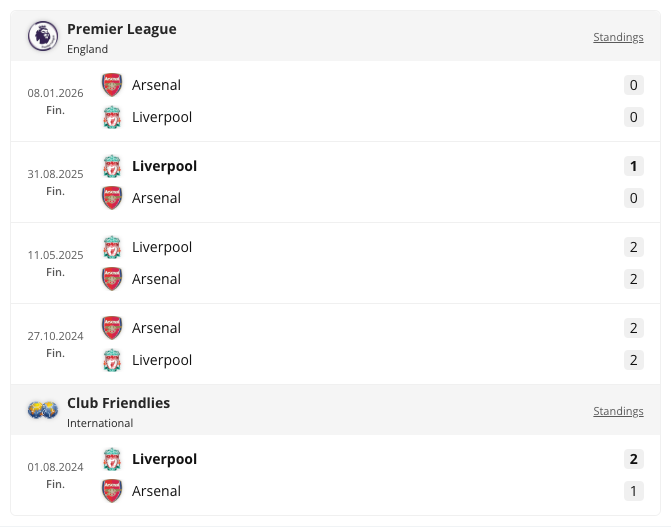
Rendered Team H2H History widget for Arsenal and Liverpool with Display widget options cleared: no H2H or team tabs, only their past meetings grouped by competition, Premier League (08.01.2026 Arsenal 0-0 Liverpool, 31.08.2025 Liverpool 1-0 Arsenal, 11.05.2025 Liverpool 2-2 Arsenal, 27.10.2024 Arsenal 2-2 Liverpool) and Club Friendlies (01.08.2024 Liverpool 2-1 Arsenal).


Adding Football H2H with Match Statistics to a post 

To set up the widget:

  1. In the quick-add row below the blocks in the article body, select the Football icon, then choose Team H2H Match from the Football widgets V2 list that opens.

Football widgets V2 dropdown with 23 football widget tiles in four columns, from Single Event Detailed (marked New), Single Event, Livescore and Standings to Round and Match Center

2. Select the teams and the match for which you want to display statistics, then choose which statistics to show.
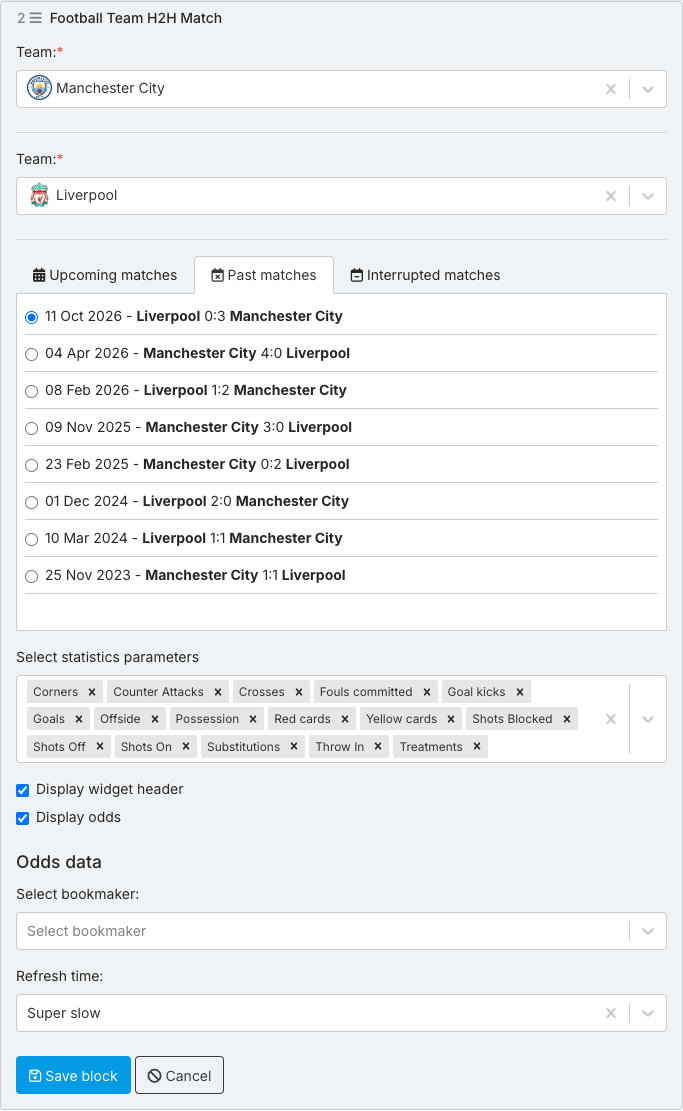
Football Team H2H Match block form: Team Manchester City, Team Liverpool, Past matches tab with 11 Oct 2026 - Liverpool 0:3 Manchester City selected, Select statistics parameters with 16 defaults (Corners to Treatments), Display widget header and Display odds checked, Odds data > Select bookmaker empty, Refresh time Super slow, Save block / Cancel.

3. Display odds is checked by default: choose a bookmaker in the Select bookmaker field, or clear the box to hide odds. To change the refresh time of the data inside the widget, use the Refresh time field.

4. When done, select Save block.

Preview of the Team H2H widget with Match Statistics
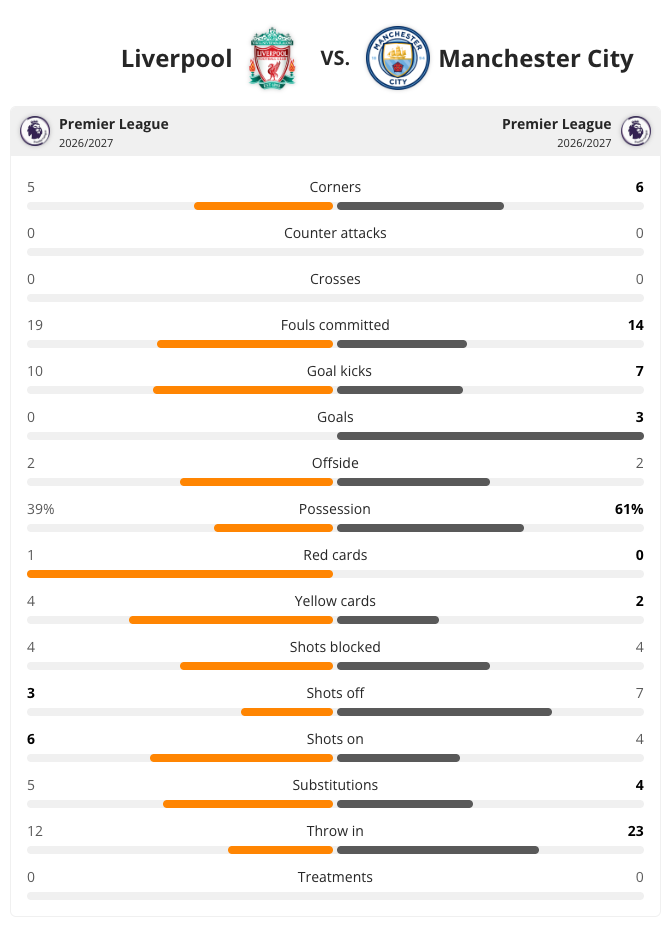
Rendered Team H2H Match widget: Liverpool vs. Manchester City with crests, Premier League 2026/2027 on both sides, and comparison bars for all 16 statistics (Corners 5-6, Fouls committed 19-14, Goals 0-3, Possession 39%-61%, ... Treatments 0-0).


Next: VIDEO: How to Use the Football Team H2H Widget