![Sportal365 logo-4.png]](https://knowledge-base.sportal365.com/hs-fs/hubfs/Sportal365%20logo-4.png?height=40&name=Sportal365%20logo-4.png)
Duplicating a post is a feature that lets journalists and editors clone an existing post, edit it, and save it as new. It speeds up content creation in situations like covering pre- and post-game events (e.g. press conferences) or a developing story.
Note that you can duplicate Articles, RSM Articles, Videos, and Galleries.
How to duplicate an article, video, or gallery?
To duplicate a post:
-
Go to the navigation menu and select All Articles, RSM Articles, Videos, or Galleries.

-
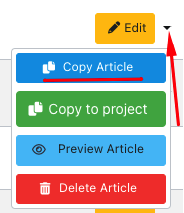
Choose the article you want to duplicate and click the Edit button in the top-right corner.

-
Expand the Edit button and select Copy Article.
-
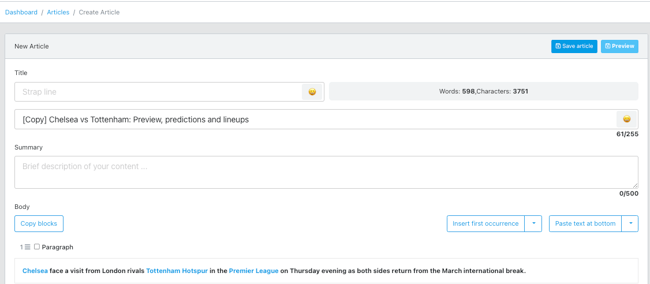
Once you select the copy option, a new Create Article screen opens with the content of the original article already filled in. The word [Copy] appears in front of the post’s title to indicate that this is a duplicated post.
-
When you are done editing the content of your copied post, click Save Article.
Note that you need to save the duplicated post to preserve it. It is not saved automatically when you clone it.