![Sportal365 logo-4.png]](https://knowledge-base.sportal365.com/hs-fs/hubfs/Sportal365%20logo-4.png?height=40&name=Sportal365%20logo-4.png)
Adding Tennis Athlete Programme to a post
To set up the widget:
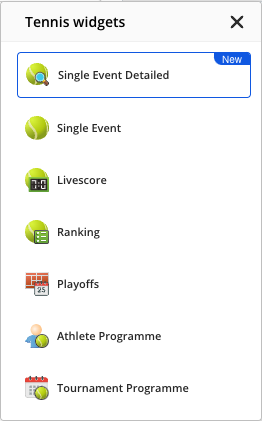
- In the row of quick-add buttons below the blocks in the article body, select the Tennis icon (or select + > Tennis widgets), then choose Athlete Programme from the Tennis widgets list.
2. Select the Player (required), then the Tournament, Rounds, Sort direction of fixtures and Sort direction of results in the corresponding fields. Choosing a tournament fills in its rounds; remove any you do not need. You can also set a Limit, a Date from / Date to range and a Match type.
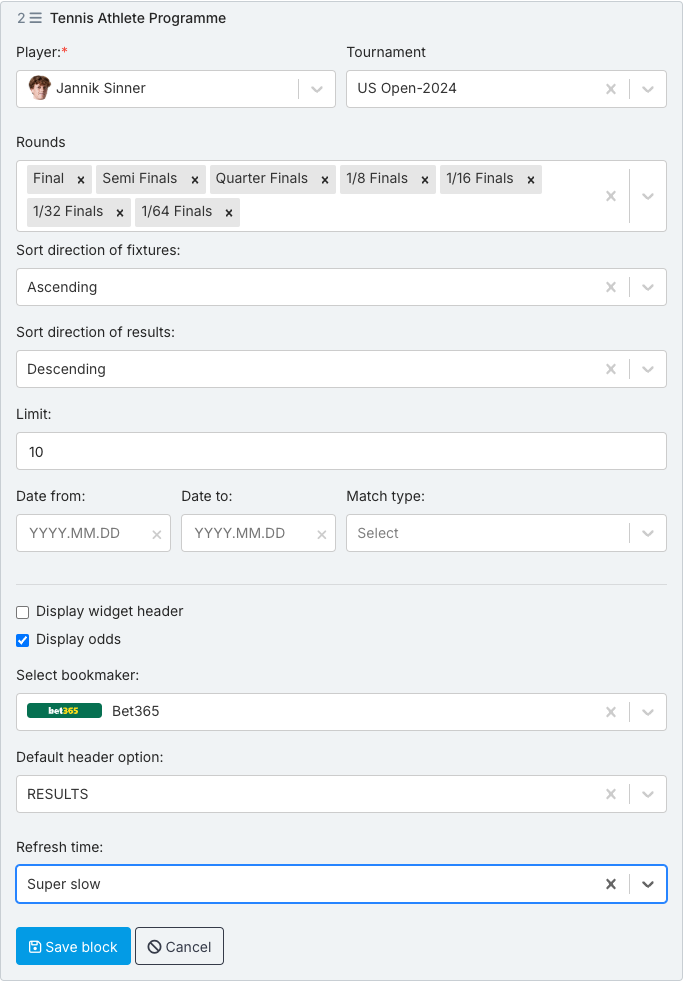
3. To display odds, make sure Display odds is selected and choose a bookmaker in Select bookmaker.
4. To change the refresh time of the data inside the widget, use the Refresh time field.
5. When done, select Save block.
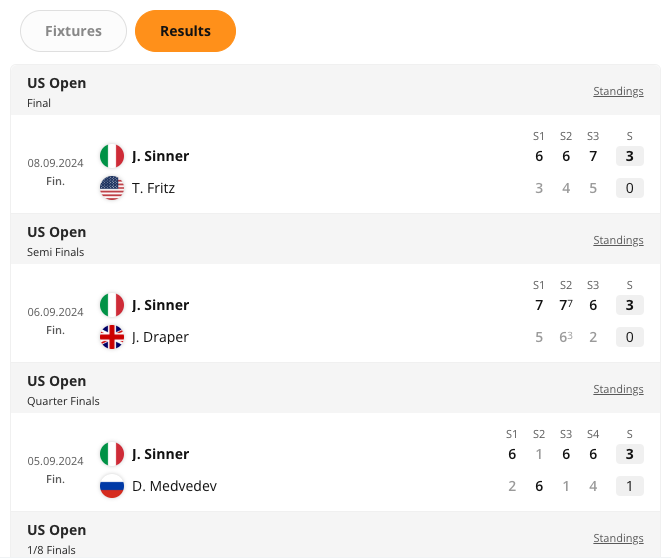
Preview of the Tennis Athlete Programme widget
Next: VIDEO: How to use the Tennis Athlete Programme Widget Tutorial