![Sportal365 logo-4.png]](https://knowledge-base.sportal365.com/hs-fs/hubfs/Sportal365%20logo-4.png?height=40&name=Sportal365%20logo-4.png)
The Sportal365 CMS has a built-in help chat. You can open it from any screen and ask the Sportal365 AI assistant a question without leaving the page you are working on.
Opening the help chat
- Select the orange chat bubble at the bottom right of the screen.
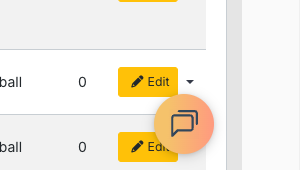
- The help chat opens above the bubble, with a welcome message from the Sportal365 AI assistant asking how it can help you.
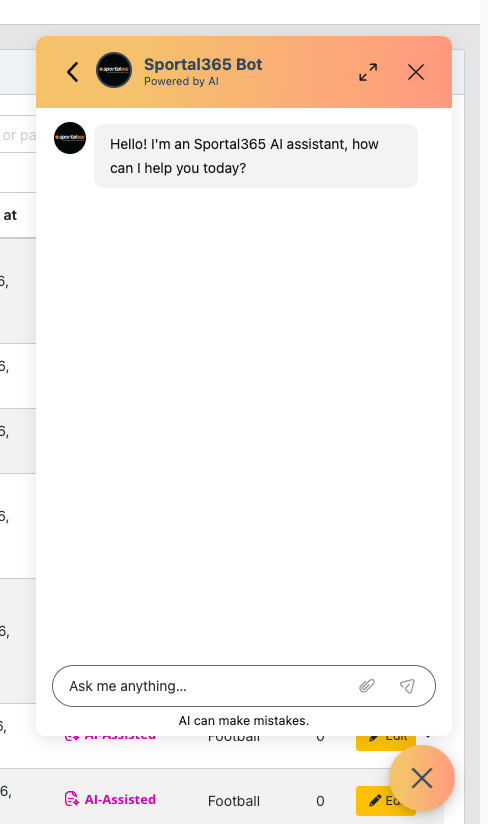
What you see in the help chat
- The header shows Sportal365 Bot and Powered by AI. On the left, a back arrow opens the list of your chat threads. On the right are an expand icon, which makes the chat window larger, and an X, which closes the chat.
- Below the header, the conversation starts with the assistant's welcome message.
- At the bottom, the Ask me anything... box is where you type your question. It also has an attachment (paperclip) icon and a send arrow.
- Under the box, the note AI can make mistakes. reminds you that the answers are generated by AI.
Asking a question
- Select Ask me anything... and type your question.
- Select the send arrow to send it.
The help chat is powered by AI, and its answers can contain mistakes. Before you rely on an answer for an important task, check it against the matching article in this knowledge base.
Closing the help chat
Select the X in the chat header, or select the bubble again. While the chat is open, the bubble shows an X.
Other ways to get help
- Browse this knowledge base for step-by-step guides. If you are new to the CMS, start with Navigating the Sportal365 CMS.
- If you are having problems with permissions, contact your administrator. To check your permissions, see Roles and permissions.
- For any other questions, contact the Sportal365 customer support team at support@sportal365.com.