![Sportal365 logo-4.png]](https://knowledge-base.sportal365.com/hs-fs/hubfs/Sportal365%20logo-4.png?height=40&name=Sportal365%20logo-4.png)
Lists enable you to group several articles, videos, or galleries under a common theme — for example, “Premiere league-leading news” — and display them in a chosen place on your website.
How you use lists and where you display them is up to you. You could create a list of posts for a monthly newsletter and send it by email, or create an “Italian Volleyball Championship leading news list” and place it on your home page.
The image below shows how articles grouped in a list can appear on a website:
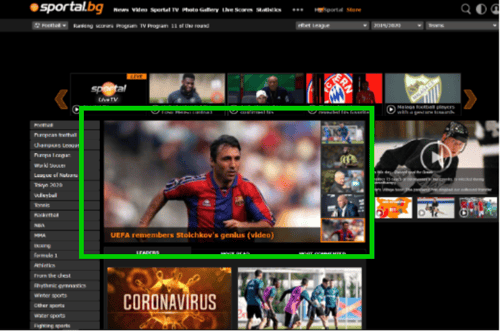
To group content in a list, you can either learn "How to create a new List" or add the content you are working on to an already created list from Lists in your content optimization tab.
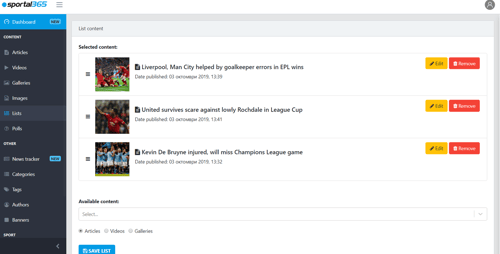
You can also edit lists and the content in them. When you edit a list, you can:
-
Override list content: Change the title and image of an article in your list to make it catchier.
-
Reorder article position in the list: Reorder the position of articles in your list by dragging them up and down.
-
Add Articles, Videos, and Galleries
-
Lock positions in a list: Lock an Article, Video, or Gallery that’s part of a list into a specific position.
You can create two types of lists:
-
Editorial Lists
-
Lists based on Tags and Sports connections
Editorial Lists
Editorial Lists is what the Lists feature originally was: a way to group together only editorial content using the three major content types, i.e. Articles, Videos, and Galleries.
Creating this type of list follows the familiar list-creation flow.
See How to create Editorial lists.
List based on Tags and Sports connections
Lists can also be created from tags and sports connections rather than editorial content.
Unlike Editorial Lists, lists created using tags and sports connections group content based on the tags and sports connections you’ve created or added, not on articles, videos, and galleries you select directly.
By creating lists with tags and sports connections, you can build sections around “hot topics” across your website portfolio. When a reader clicks on a “hot topic” on your website, it takes them to a page with content related only to the specific tag or sports connection used to create that list.