![Sportal365 logo-4.png]](https://knowledge-base.sportal365.com/hs-fs/hubfs/Sportal365%20logo-4.png?height=40&name=Sportal365%20logo-4.png)
We're pleased to announce Sportal365 CMS Version 4.8.3. It brings a new Dashboard, Title and Summary suggestions in AI Suggestions, a Default group type for the Standings widgets, and several fixes and improvements. This article covers the releases 4.8.1, 4.8.2 and 4.8.3 together and links to the guides that cover each feature in detail.
Watch a short video of what is new, then read the details below.
A new Dashboard
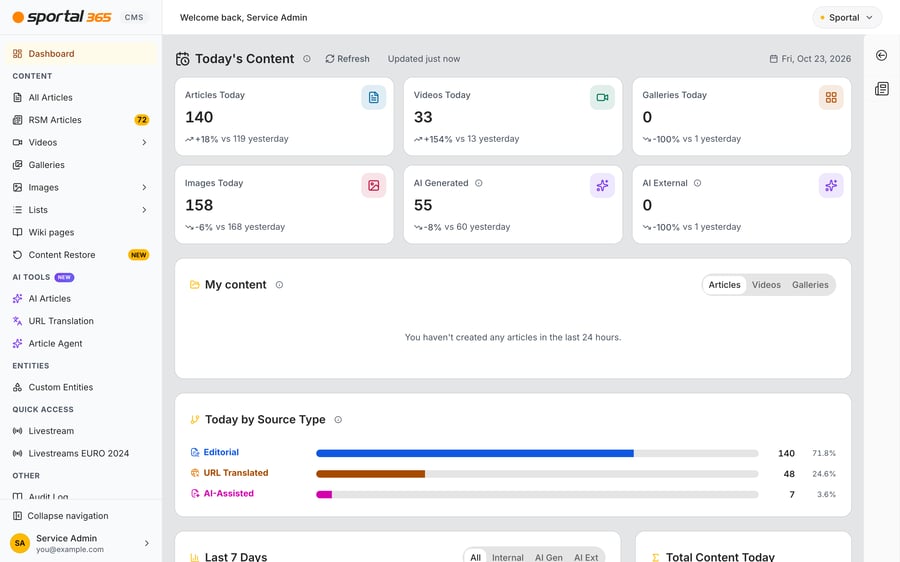
The Dashboard has been rebuilt as an overview of your project's content. It is the page you land on when you sign in, when you select the sportal365 logo and after you switch project, and the top bar greets you with Welcome back and your name. Every figure counts the content of the whole project; only My content is about you.
- Today's Content: six cards, Articles Today, Videos Today, Galleries Today, Images Today, AI Generated and AI External, each compared with the same time yesterday, for example +18% vs 119 yesterday. Select Refresh to reload the figures; Updated just now shows how fresh they are. Today and yesterday follow the time zone of your project, not your browser's. AI Generated and AI External articles have their own cards and are not part of Articles Today.
- Drilldown: select a card to open a window that compares today with yesterday, for example Articles — today vs yesterday, with By author, By category and By hour (project time). A card opens only if your role allows you to view that type of content.
- My content: everything you created in the last 24 hours, in any status, on the Articles, Videos and Galleries tabs.
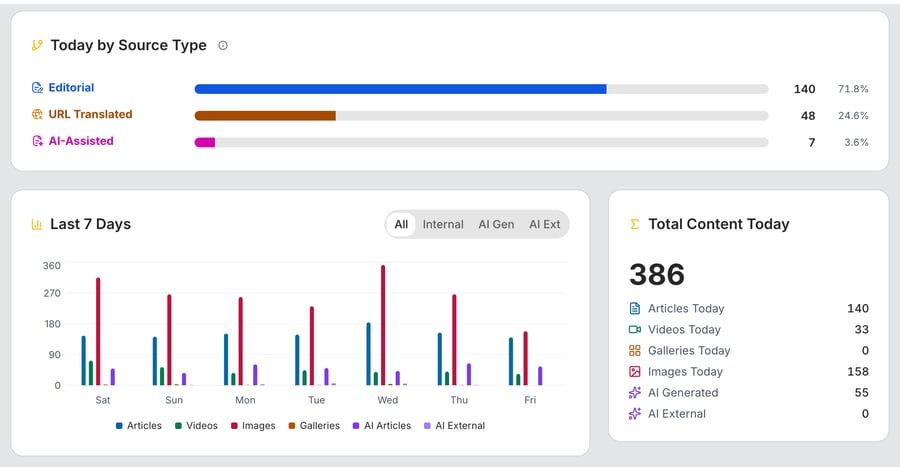
- Today by Source Type: how today's articles split between Editorial, URL Translated, AI-Assisted and the other source types, with the count and the share of each.
- Last 7 Days: a daily chart of articles, videos, images, galleries, AI articles and AI external articles. Use the All, Internal, AI Gen and AI Ext tabs to focus on one series. Total Content Today next to it adds up the six cards.
- AI share of articles: the share of AI Generated plus AI External articles among all articles this month so far, compared with the previous month in percentage points, above a daily chart.
- Source Type Mix and Category coverage: the source types of this month's articles, and the number of articles per primary category. When the counts are projected from a sample of the month's articles, the Estimated badge appears. A Show button lists the categories that have no articles in this period or, when the counts are estimated, the categories not seen in the sample.
- Monthly Trends (Last 12 Months), Monthly Breakdown and Daily Breakdown: three panels that are closed until you select Show. Monthly Trends (Last 12 Months) charts the last 12 months, Monthly Breakdown lists them in a table, and Daily Breakdown shows a chart and a table per day of the current month. Select Hide to close a panel again.
- Help: select the (i) icon next to a title to read what a figure counts.
For a full tour of every card and panel, see Using the Dashboard. For the rest of the sidebar and top bar, see Navigating the Sportal365 CMS.
AI Suggestions: Title and Summary
AI Suggestions in the article editor now covers the Title and the Summary as well. A run suggests the title, the summary, the SEO fields and, where sport widgets are enabled for your project, widgets.
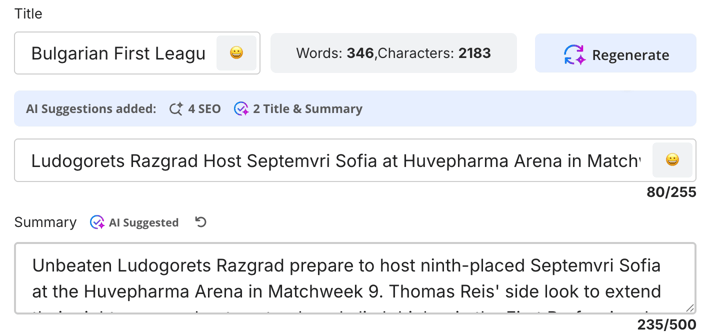
- Title and Summary: the suggested text replaces what is in the Title and Summary fields. The Strap line is not changed, and when the assistant has no suggestion for a field, your text stays. A field the assistant changed is marked AI Suggested next to its label.
- Info bar: the AI Suggestions added: bar now has a third count next to the widgets and SEO items, for example 4 SEO and 2 Title & Summary. The number counts the title and summary suggestions that were added (1 or 2).
- Undo for each field: an undo button next to the label of a changed field brings your text back. Its tooltip reads Show your original; after you select it, the button stays and its tooltip reads Show the AI suggestion, so you can switch back and forth and compare. This works separately for Title, Summary and, in the SEO panel, SEO Title, SEO Description, SEO Keywords and Slug. Regenerate keeps the text you had before the first run as your original. The buttons are not saved with the article. They are available only while the article is open in the editor, and they are gone when you close the article and open it again.
- Suggestions per project: which suggestions a project gets, from title, summary, SEO fields and widgets, is set per project. All of them are on by default. Sportal365 sets this for your project; there is no setting for it in the CMS, so contact the Sportal365 support team if you want a type switched on or off.
- Clearer messages: the title, summary and SEO suggestions come back together, so they succeed or fail together. If one part fails, the rest is still applied and the warning AI Suggestions partially applied explains it: Widget suggestions could not be generated. The other suggestions were applied. or Title, summary and SEO suggestions could not be generated. The other suggestions were applied. If nothing could be generated, you see Error generating AI suggestions. Please try again.
For the full workflow, see AI Suggestions in the Article Editor.
Standings widgets: Default group type
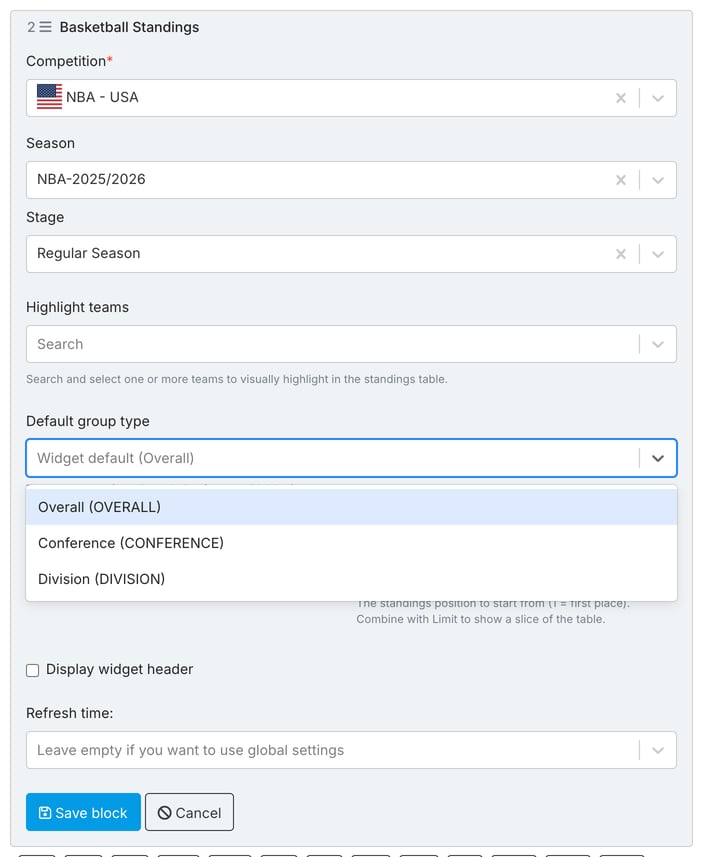
The Standings blocks have a new Default group type field. It sets the group type that the standings table opens on, for example Overall, Conference or Division. It is available for Football Standings and for the Standings of Basketball, Ice Hockey, American Football, Handball, Futsal, Volleyball and Rugby. Football Group Programme Standings does not have it.
- Choose from the stage: select the tournament or competition, the season and the stage first. Default group type, below the highlighted teams field, then lists only the group types that stage offers, such as Overall (OVERALL), Conference (CONFERENCE) and Division (DIVISION). Some stages offer only one. Until you choose a stage, the field reads Select a stage to load its group types. Leave it empty to keep Widget default (Overall).
- Replaces Default header option: in the seven sports other than football, Default group type replaces the Default header option field, and you can set it whether or not Display widget header is selected. New blocks no longer start with Conference: unless you choose a group type, the widget uses its default, Overall. Blocks you saved earlier keep their value.
- Messages after Save block: a new block opens without errors, and messages appear only after you select Save block. The block is not saved if Limit is not a whole number greater than 0 (Limit must be a whole number greater than 0.), if Start from position is not a whole number (Start position must be a whole number.), if you changed the stage and the group type you kept is not offered by the new one (The saved group type is not available for the selected stage.), or if the group types of the new stage are still loading (The group types of the new stage are still loading. Save again in a moment.). The optional highlighted teams field is no longer flagged with Field must not be empty.
- Highlighted teams: in Football Standings, the highlighted teams are no longer pre-filled with the first team of the stage.
For the full options, see Football Standings Widget, Basketball Standings Widget, Ice Hockey Standings Widget, American Football Standings Widget, Handball Standings Widget, Futsal Standings Widget, Volleyball Standings Widget and Rugby Standings Widget.
Bulk editing: Jobs history now loads
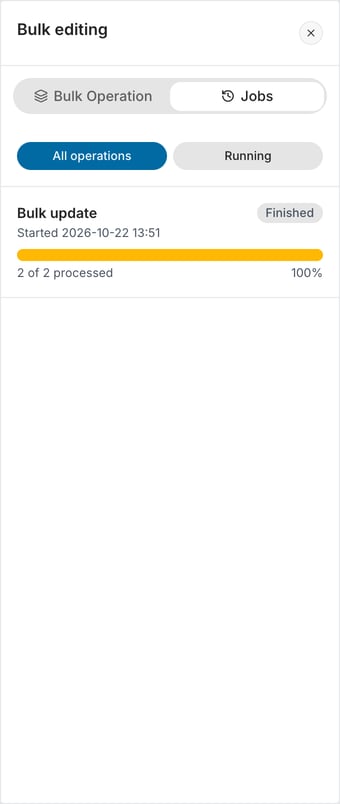
The Jobs tab of the Bulk editing panel in All Articles (new) now loads your bulk operations. In 4.8.0 it could show Operations could not be refreshed. Any shown information may be out of date. instead of the history. This was fixed in 4.8.2. Each operation shows its status and progress, for example Finished, 2 of 2 processed and 100%, and All operations and Running filter the list.
For the steps, see How to bulk edit articles.
Other improvements
- Livestream marker: videos of a livestream type now carry a small red broadcast icon, with the tooltip Livestream content, in the All videos list and in your Quick access lists. The icon also appears next to the video's title in the Video block, in the Related content search and in the Lists search.
- Type filter in All videos: Show advanced filters in the All videos list now offers a Type filter, so you can narrow the list to one or more video types. The filter and the marker depend on the video types of your project; the Type filter appears only in projects that have video types.
- Regional CMS installations (4.8.1): the new screens, such as All Articles (new), Content Restore and the Article Agent, now load their data from the regional services of your installation.
- Faster start-up (4.8.2): the CMS no longer waits for its analytics service when it starts. If analytics are blocked in your network or browser, the first screen could be held back for several seconds; now it appears without that wait.
- Tennis Single Event Detailed: the block in the article editor now follows its own project setting instead of the one of the Basketball detailed block. If the block appears or disappears in your project, contact the Sportal365 support team. See Tennis Single Event Detailed Widget.
- Smart Search tags: tags are no longer saved on headings and quotes. Smart Search applies to paragraphs only, so when you turn a tagged paragraph into a heading or a quote, its tags are dropped. This fixes the saving of very large articles that could fail because of the extra tag data.
Removed
The Player, Team and Category statistics charts of the old Dashboard were removed in 4.8.3. The new Dashboard does not include them; it shows the content of your project as described in Using the Dashboard.
For questions about any of the changes in this release, open the help chat or contact the Sportal365 support team. As always, your feedback helps us continue improving the Sportal365 platform.
Thank you for your continued support and dedication to creating outstanding sports content with Sportal365.